The quick answer.
Start with the screen closest to ready. Use built-in rear-seat entertainment if the exact system supports the content and controls your passengers need; use an existing tablet if its child account, offline apps, mount and power plan are sorted; buy a dedicated kids tablet only when its interface fills a real gap. The longer the trip, the more important it is to confirm charging and offline playback in advance.
The steps at a glance.
Check the system already in the car
Read the vehicle’s entertainment-system instructions and confirm that it supports the intended content, accounts and passenger controls.
Test the exact device and content
Set up the child profile, open the intended app and play downloaded content with the device offline before relying on it for a trip.
Confirm mount and power separately
Check the device with its case, the vehicle-specific mount and the charging input. Match any 12V adapter to the device and vehicle instructions.
Plan around the longest stretch
For a long day, check the charging route, storage and app limits before departure instead of relying on a maximum battery figure without test conditions.
Choose between the screen you have and a new one
Built-in rear-seat entertainment can be the simplest fit when the exact vehicle system already plays the content your passengers use and its settings meet your needs. Check the car’s manual for supported inputs, accounts and controls; features vary by system. An existing tablet avoids adding another device if it already has a child profile, required apps and storage. A dedicated kids tablet makes sense when you want a separate device and its child interface fits your family, but its label alone does not confirm app access, controls or vehicle readiness.
Treat the mount and charger as separate purchases
Measure the device with its case and confirm a mount that fits the intended headrest or other vehicle-specific attachment point. Check cable reach and access to the charging port with the screen in its planned position. Then match the tablet’s stated charging input with the vehicle outlet or USB output using both manuals. A case is not a mount, a 12V plug shape does not confirm electrical compatibility, and an included tablet charger may be intended for home use.
Verify offline content on the exact app
A tablet that opens a streaming app at home may not have the same titles available offline. Netflix, for example, says downloads are made through its app on supported devices and that some titles are unavailable for download. Check the exact service, account and title, download what is allowed, then confirm playback with the device offline before leaving. Haudio’s MID1050-RE listing does not identify video-app certification or offline-download support, so confirm both against the apps your family intends to use.
Compare parental controls on the account you will use
Check how a parent can manage the exact child account, app access and settings before the trip. Google says Kids Space is available on select Android tablets, requires a Google Account for the child, and needs Family Link for parental controls. Haudio lists Google Kids Space and iWawa on the MID1050-RE, but that listing alone does not confirm the setup or compatibility for this exact variant. Apple describes Screen Time controls for a child’s device through Family Sharing. For a car’s built-in system, check its own manual and settings rather than assuming tablet controls carry over.
Let trip length decide the power plan
For a brief drive, the car’s existing display or an already-charged tablet may avoid a new purchase. For a long journey or a day of several stops, confirm where the device will charge and how much content is available without a network. Do not treat a seller’s maximum battery claim without test conditions as a trip-length promise. Leave a practical margin for the actual screen, app and settings you plan to use.
One exact option: Haudio MID1050-RE
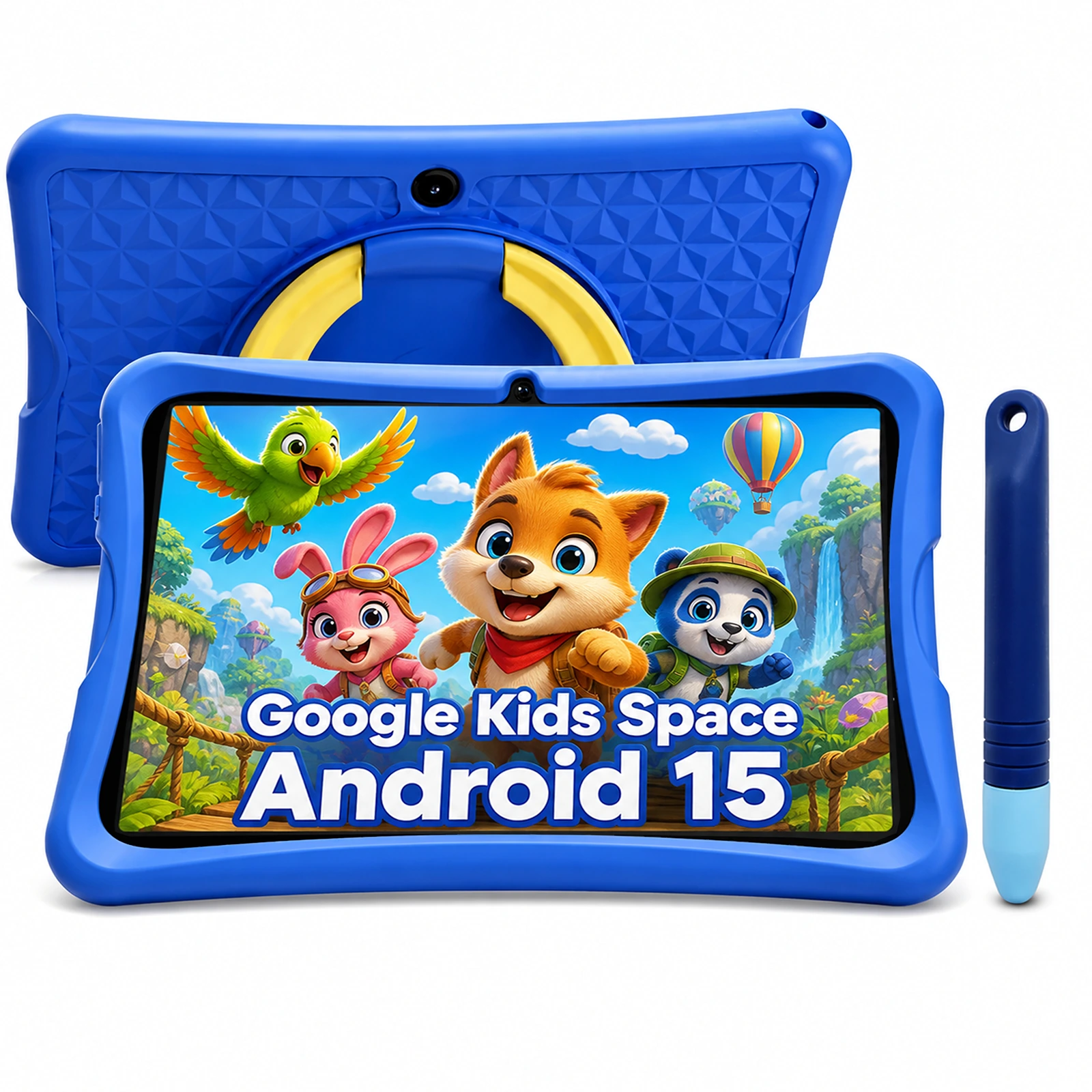
Haudio markets its 2026 Android 15 MID1050-RE tablet for long car rides and lists a 10.1-inch IPS display, Google Kids Space, iWawa controls, a stylus and a blue child case. The product page does not list a headrest mount or 12V adapter, explain its 6GB (3GB+3GB) memory figure, name the processor or publish the display resolution; app certification and offline support are also unspecified. Haudio advertises up to eight hours from its 6000mAh battery without test conditions. In an anonymous US cart on October 28, 2026, code SEBASTIANBASSOL applied to exact variant 52914676957415 / SKU MID1050-RE Kids-Doundy: the listed $119.99 became a $102.00 cart line including tax, with shipping calculated at checkout. See the linked review for the complete exact-model record.
Keep building your know-how.
Your questions, answered.
Is a dedicated kids tablet always the best choice for a road trip?
No. Use the car’s built-in system or an existing device when it already supports the content, account controls, mount and power setup you need. A dedicated tablet is useful only if its separate child interface solves a specific gap.
Does the Haudio MID1050-RE include a headrest mount or car charger?
Haudio’s listing names a blue child case and an included stylus but does not list a headrest mount or 12V adapter. Confirm the full package and vehicle-specific mount and charging plan before ordering.
Can I count on downloaded videos working offline?
Only after checking the exact service, account and title. Download rules and availability vary by app and content; confirm playback with the device offline before the trip.
Does Haudio confirm that the MID1050-RE supports my video apps?
The product listing does not identify video-app certification or offline-download support. Confirm the exact apps and account setup with Haudio before relying on them.
How long will the MID1050-RE battery last in the car?
Haudio advertises up to eight hours from a 6000mAh battery but publishes no test conditions. Treat that as a seller claim, not a guaranteed runtime for your trip.
Sources & further reading.
Source information checked October 28, 2026. Product examples are identified by model; the recommendations and practical comparisons are CarRundown’s editorial analysis.